Vibe safely. The non-engineer's build sheet.
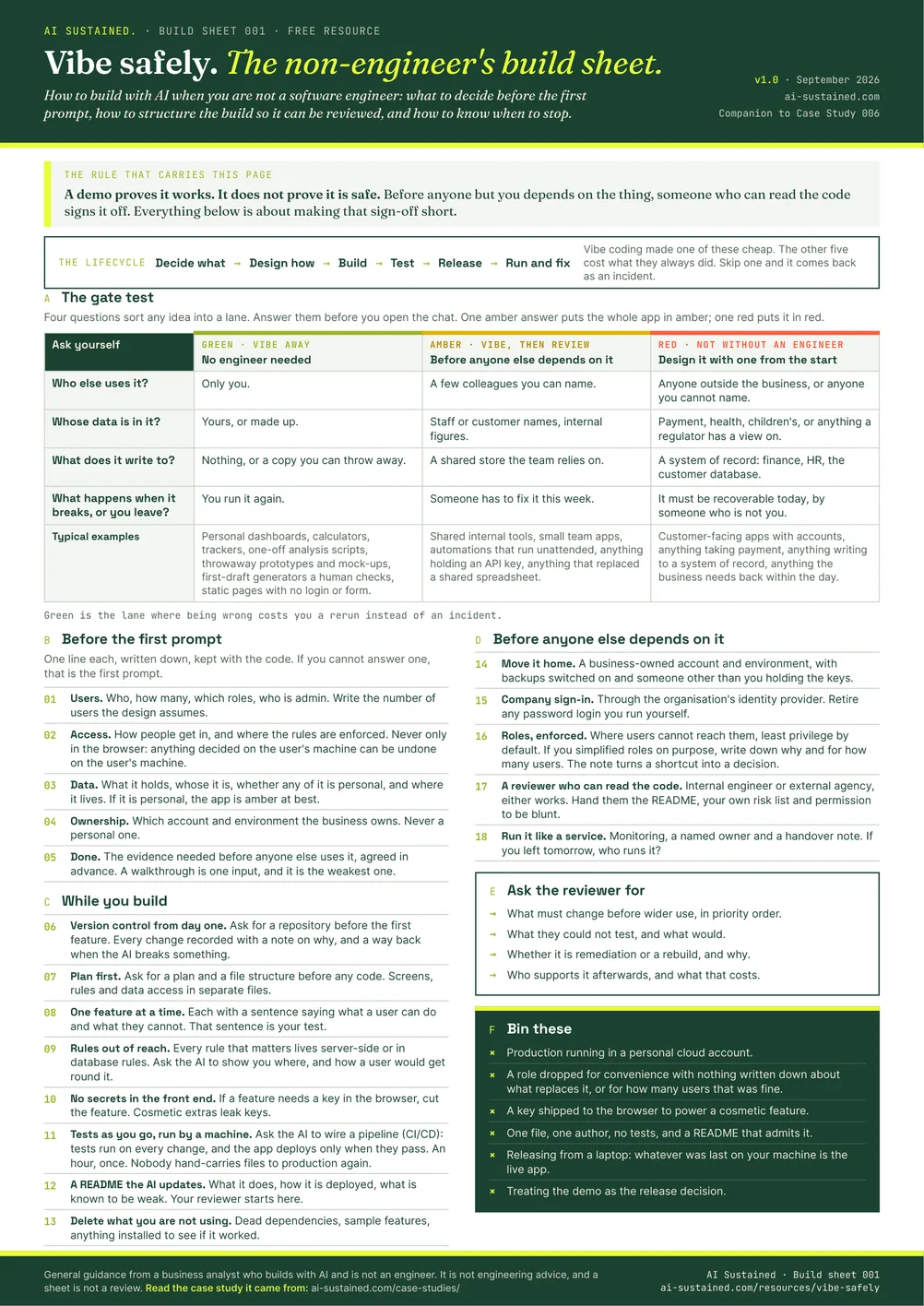
One page A4. The four-question gate test, what to write down before the first prompt, how to structure the build so it can be reviewed, and what to hand the reviewer.
PDF · one page · prints in black and white. No form, no email, no catch.
Working is not shipped.
Anyone can now build an application by describing it. Plenty of people who are not engineers have done exactly that, put it in front of colleagues, and watched it work. The awkward moment comes later, when someone asks whether the thing is safe to depend on, and the builder realises they cannot answer.
This sheet is the up-front list from a real case: an internal tool built by a business analyst, then put through an independent engineering review. The review kept the core and rebuilt the plumbing. Every check on the sheet maps to something the reviewers found, or something that would have made their job shorter. It is written for the builder, in the builder's language, and it fits on one page.
Six blocks, seventeen checks.
The gate test
Four questions that sort any idea into green, amber or red before you open the chat. One amber answer puts the whole app in amber.
Before the first prompt
Five things to write down and keep with the code: users, access, data, ownership and what "done" will take. If you cannot answer one, that is your first prompt.
While you build
Seven habits that keep a vibe build reviewable: plan first, one feature at a time, rules out of the browser, no secrets in the front end, tests as you go.
Before anyone else depends on it
Five steps from prototype to something a business can run: move it home, company sign-in, roles enforced, a reviewer who can read code, a named owner.
Ask the reviewer for
The four answers a review should give you, so you can tell a rescue from a sign-off before the invoice arrives.
Bin these
Five habits that turn up in almost every AI-assisted prototype, including the one this sheet came from.
The gate test.
The one part of the sheet worth reading before you download it. Answer the four questions for the app you have in mind. The lane tells you how much of the rest of the sheet applies.
| Ask yourself | Green · vibe awayNo engineer needed | Amber · vibe, then reviewBefore anyone else depends on it | Red · not without an engineerDesign it with one from the start |
|---|---|---|---|
| Who else uses it? | Only you. | A few colleagues you can name. | Anyone outside the business, or anyone you cannot name. |
| Whose data is in it? | Yours, or made up. | Staff or customer names, internal figures. | Payment, health, children's, or anything a regulator has a view on. |
| What does it write to? | Nothing, or a copy you can throw away. | A shared store the team relies on. | A system of record: finance, HR, the customer database. |
| What happens when it breaks, or you leave? | You run it again. | Someone has to fix it this week. | It must be recoverable today, by someone who is not you. |
| Typical examples | Personal dashboards, calculators, trackers, one-off analysis scripts, throwaway prototypes and mock-ups, first-draft generators a human checks, static pages with no login or form. | Shared internal tools, small team apps, automations that run unattended, anything holding an API key, anything that replaced a shared spreadsheet. | Customer-facing apps with accounts, anything taking payment, anything writing to a system of record, anything the business needs back within the day. |
Green is not a lesser build. It is the lane where being wrong costs you a rerun instead of an incident.
A demo proves it works. It does not prove it is safe.
Case study 006: A working app is not a shippable one. A business analyst vibe coded an internal tool, put it in front of real users, then asked independent engineers to mark the homework. What they found, what the builder already knew, and how far a non-engineer can close the gap alone.
Read the case studyGet the build sheet.
One page. Pin it above the desk, or send it to the colleague who has just shown you something they built at the weekend.